
The guide
How Pawdoku works
By the I Love Pariah Dogs team · Last updated
Pawdoku in short
Pawdoku is a free browser logic puzzle. You place one dog in every row, column and coloured region of a grid, and no two dogs may touch, even at a corner. There are 1,000 levels, from 4×4 to 10×10, and every one has exactly one solution that you can find by logic alone.
Each board is a grid cut into coloured regions, and every dog has exactly one place it can go. There's no maths and no fast reflexes needed. You just have to work it out.
What is Pawdoku?
Pawdoku belongs to the "Queens" family of puzzles, with dogs instead of crowns. The grid is cut into coloured regions with thick borders. Every row, every column and every region gets exactly one dog, and no two dogs may touch corner to corner. Put those rules together and each board has a single solution.
There are 1,000 levels. They start at 4×4 and creep up to 10×10. Each one has a single answer you can reach by logic alone, so if you're stuck, there's always a next step.
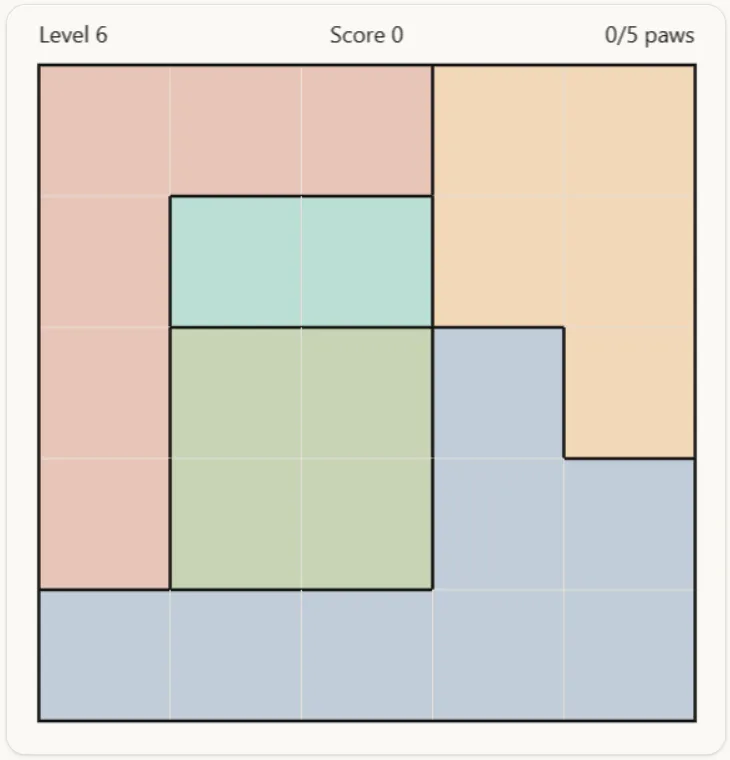
How to play Pawdoku: the rules
Four rules. The board is solved when all four hold at once.
- 1
One dog in every row
Each row gets one dog, no more. Drop a second dog into the same row and both go red until you move one.
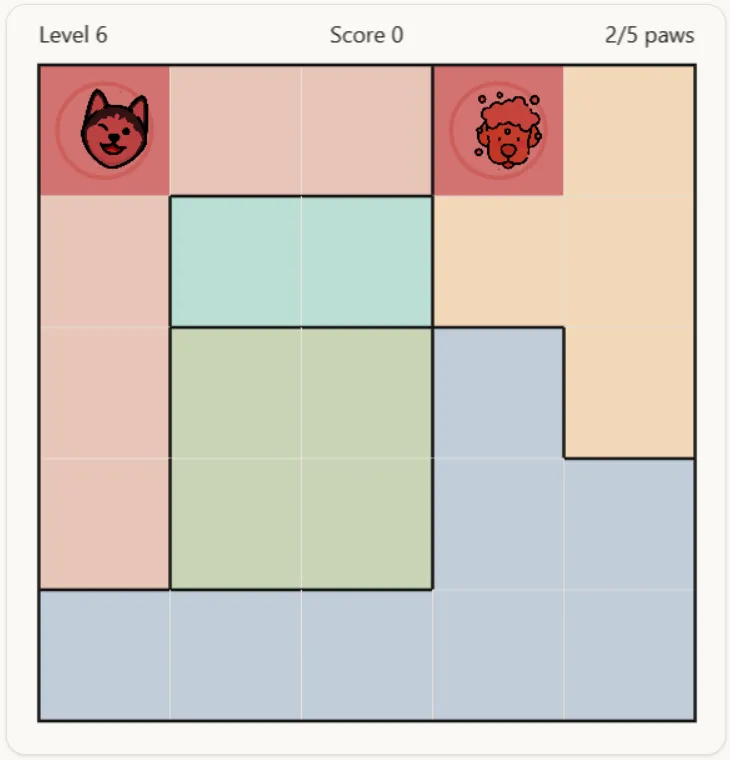
Two dogs in one row, both red. - 2
One dog in every column
Same idea, running top to bottom. One dog per column.
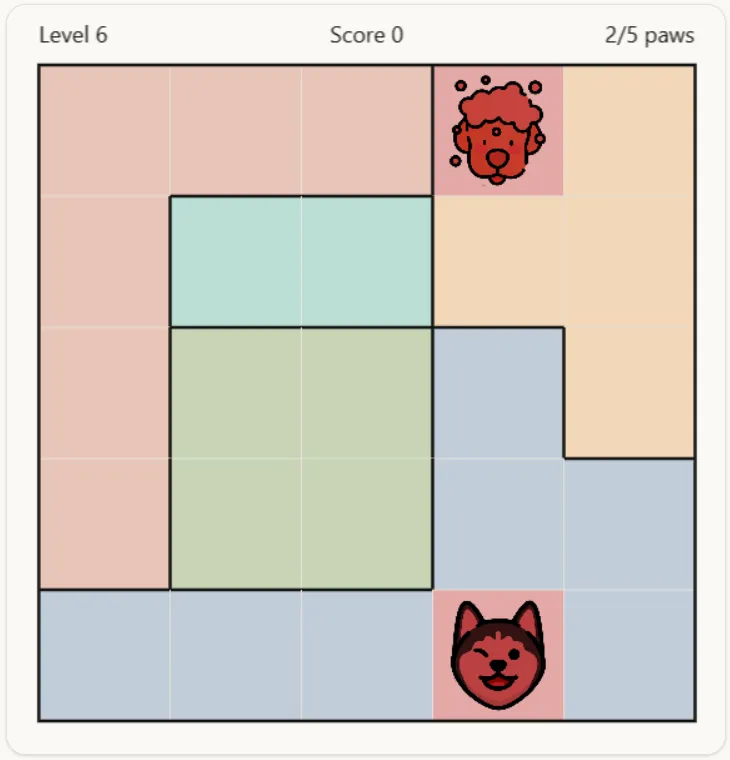
Two dogs in one column, both red. - 3
One dog in every colour
The coloured blocks with thick borders are regions. Each region needs exactly one dog, even if it snakes across half the board.
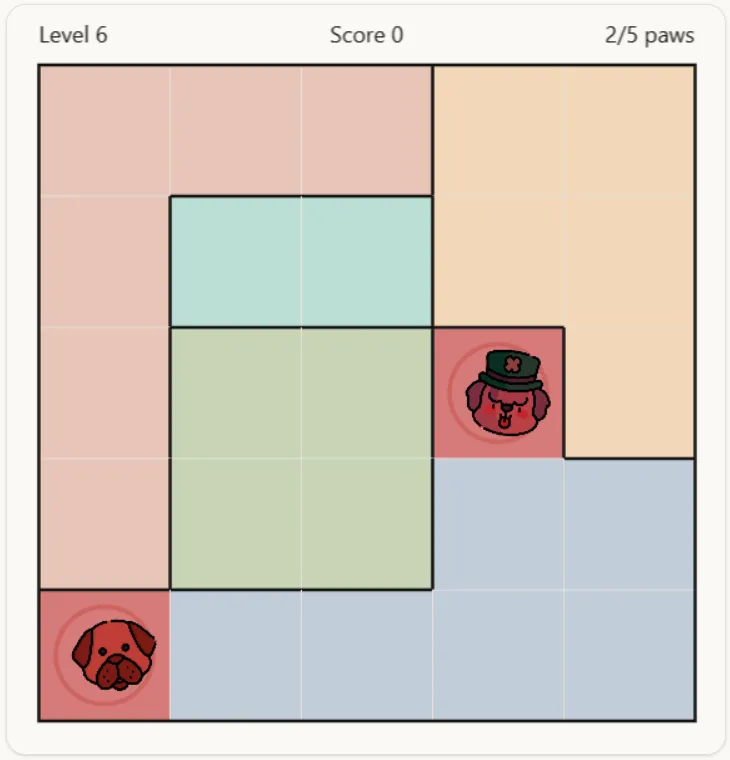
Two dogs in one region, both red. - 4
No dogs touching at the corners
Two dogs can't sit diagonally next to each other. Dogs side by side or stacked would already share a row or column, so corners are the only touching left to rule out. That last rule is what boils each board down to one answer.
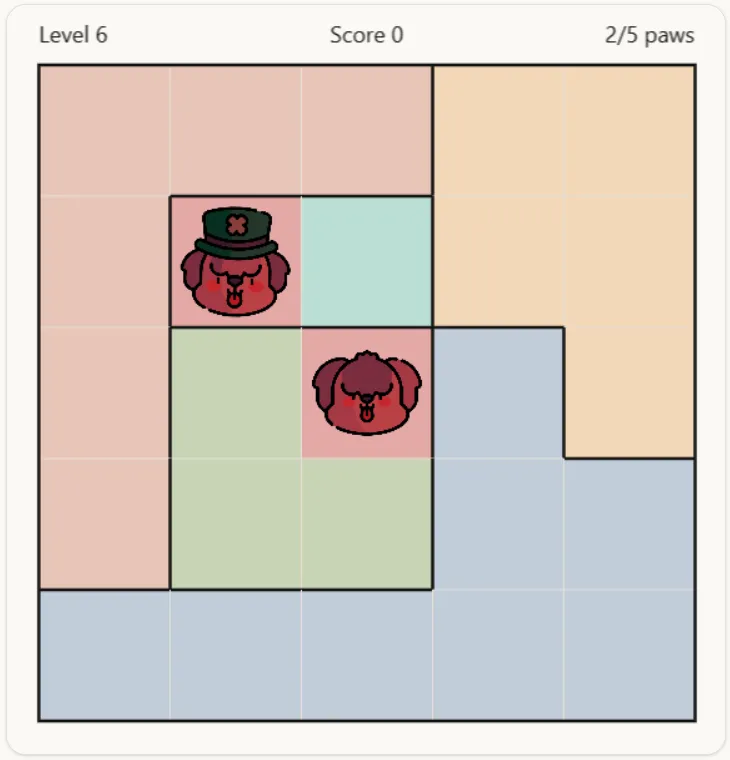
Dogs touching at a corner, both red.
Controls
Crosses are your scratch paper. Use them to remember where a dog can't go. Placing a dog takes a double-click, so a stray click never drops one by accident.
| Action | Mouse or touch | Keyboard |
|---|---|---|
| Mark a cross | Click an empty cell once | X |
| Place a dog | Double-click an empty cell | Space or Enter |
| Clear a cell | Click a cell with a cross or a dog | Either key on a filled cell |
| Move around | Point at a cell | Arrow keys (click the board first) |
Along the top of the board: undo takes back your last move, the bulb gives you a hint, the speaker switches sound on and off (it starts off), the circular arrow clears the level, and the bin wipes all your progress and sends you back to level 1.
Strategy: how to solve any Pawdoku board
These five habits are enough for every level in the game. When you're stuck, go through them in order.
1. Start with the small regions
A region with a single cell is a free dog, so place it. A region whose cells all sit in one row or column is a good clue too: its dog is somewhere on that line, so cross out the rest of the line.
2. Cross out what each dog rules out
Every time you place a dog, cross out the rest of its row, column and region, plus the four cells at its corners. It's a bit tedious, but it means the empty cells left are the only ones that could still hold a dog.
3. Spot regions stuck in one row or column
If every cell of a region sits in a single row, its dog has to be in that row. That row is now taken, so cross out every cell in it that belongs to another region. Columns work the same way.
4. Count regions against rows
Say two regions sit entirely inside the same two rows. Those two dogs use up both rows, so nothing else can go there. It works for three regions in three rows too, and for columns. This is the trick that cracks the big boards.
5. Try a "what if"
When you're down to two options, imagine a dog on one of them and follow what happens. If some region ends up with nowhere to put its dog, that option is impossible, so cross it out. Since every level has exactly one answer, a wrong guess always hits a wall.
A worked example: solving level 6
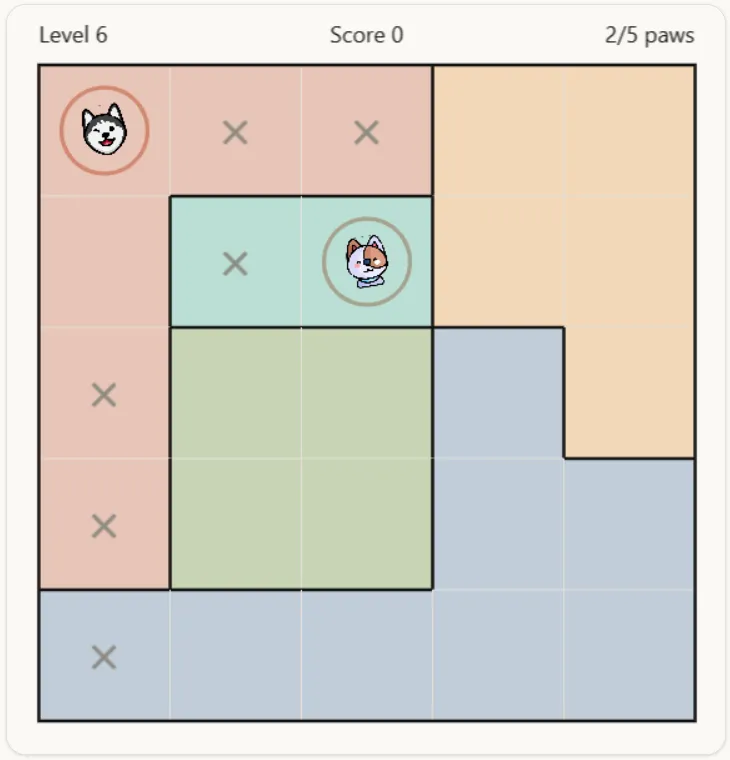
Here is a whole board solved with nothing but the habits above. It's level 6, a 5×5. Rows count from the top and columns from the left. A × marks a cell ruled out, and the little paw marks a dog.
- ×××
Step 1: The teal region is stuck in one row
Teal is just two cells, and both are in row 2. Its dog has to be in that row, so cross out the rest of row 2.
- ×××××××
Step 2: Two regions, two columns
The green block only covers columns 2 and 3, and so does teal. Two regions, two columns: those columns are spoken for. Cross out every other cell in columns 2 and 3.
- ××××××××
Step 3: Pink is left with column 1
After those crosses, every free pink cell is in column 1. Pink owns that column now, so cross out the last cell of it, at the bottom left.
- ×××××××××××
Step 4: Blue has to use the bottom row
Look along the bottom row. Only its last two cells are still free, and both are blue. So the blue dog is in the bottom row, and the other blue cells can go.
Step 5: try a "what if" on orange
Orange has three cells left: two in the top row and one at the far right of row 3. Try a dog on either top-row cell and follow it through. Both roads end in a corner touch somewhere among teal, green and pink, so cross those two cells out and orange is left with row 3, column 5.
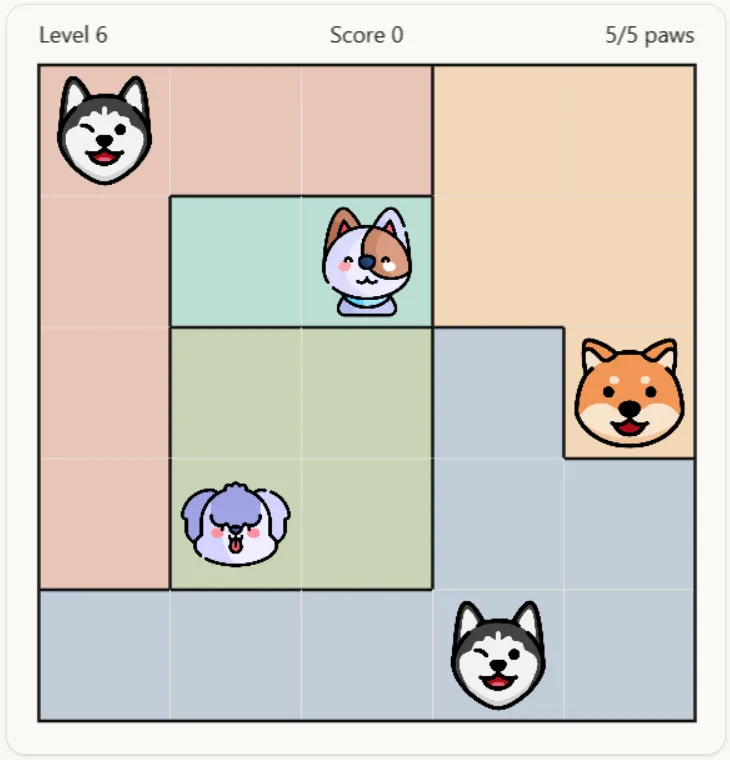
The rest falls into place. Blue takes the bottom row at column 4, green goes in row 4 at column 2, teal sits in row 2 at column 3, and pink takes the top-left corner. Five dogs, one per row, column and colour.
Pawdoku vs Sudoku and other Queens-style puzzles
Sudoku fills a grid with the numbers 1 to 9 so that nothing repeats. Pawdoku places a single symbol, a dog, so that every row, column and coloured region has exactly one. There's no arithmetic and nothing to memorise, but the same kind of elimination thinking applies: you keep ruling cells out until only one is left. If you like the moments in Sudoku where only one cell can hold a digit, Pawdoku hands you those without the number juggling.
It's also a cousin of the classic eight queens puzzle, where queens must not attack each other. In Pawdoku the no-touching rule only covers the four cells at a dog's corners, and the coloured regions replace the queens' long diagonals. That keeps every board small enough to solve by hand.
Pawdoku by the numbers
Before any colours are added, a 4×4 grid has only 2 ways to place four dogs so that none share a row or column or touch at a corner. The count grows fast: 14on 5×5, 90 on 6×6, and 4,79,306 on 10×10. Those figures are known as Hertzsprung's problem, and they're listed in theOn-Line Encyclopedia of Integer Sequences.
The coloured regions are what pin a board down to exactly one of those layouts. All 1,000 levels here were built that way, and each one was checked to have a single solution.
Levels, stars, hints and score
Levels open up one at a time: clear one to unlock the next. Bigger grids are harder, so the grid size is a decent guide to how tough a level is.
| Grid | Levels | Dog layouts before colours | Hints per level | Time for 3 stars |
|---|---|---|---|---|
| 4×4 | 1–5 | 2 | 2 | 32s |
| 5×5 | 6–20 | 14 | 2 | 50s |
| 6×6 | 21–50 | 90 | 3 | 1m 12s |
| 7×7 | 51–150 | 646 | 3 | 1m 38s |
| 8×8 | 151–350 | 5,242 | 4 | 2m 08s |
| 9×9 | 351–650 | 47,622 | 4 | 2m 42s |
| 10×10 | 651–1000 | 4,79,306 | 5 | 3m 20s |
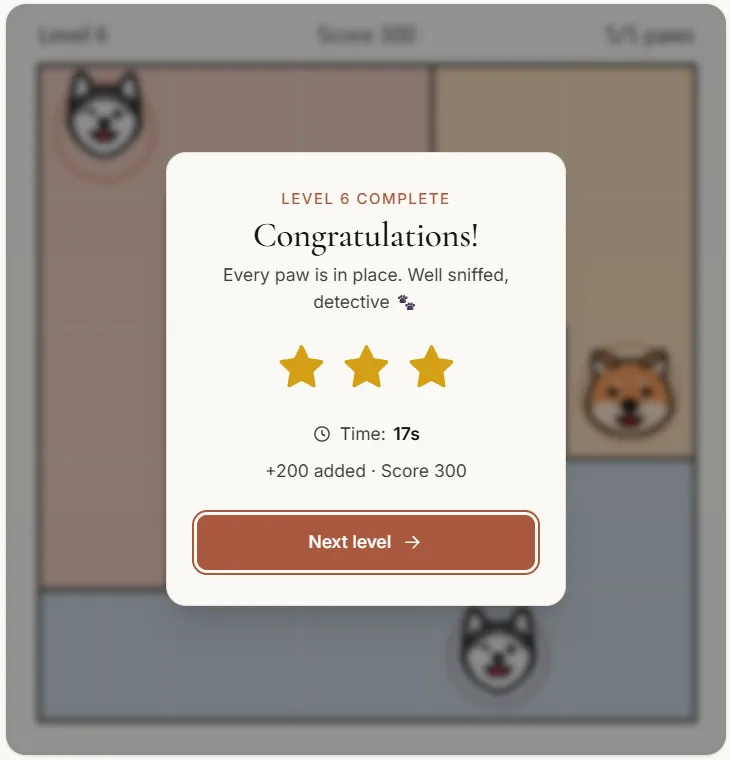
You get three stars for beating the time in the table, two for finishing within two and a half times that, and one after that. The clock starts on your first move and stops when you switch tabs.
Each star is worth 100 points and each hint costs 25, so a perfect run through all 1,000 levels tops out at 3,00,000. You can replay any level you've cleared, but it only adds to your score if you beat your previous best for it.
A hint either takes away a misplaced dog or puts down a correct one.
What to do when you get stuck
Try not to guess. First check that every dog you've placed has its row, column, region and corners crossed out. Then look again for a region stuck in one row or column, or a count that pins down a couple of rows. Red cells are a clue in themselves: two dogs are breaking a rule, so at least one of them is in the wrong place.
Still stuck? Use a hint. It won't solve the board for you. It takes out a dog that's in the wrong spot, or places one correct dog and lets you carry on from there. Each hint costs a few points, so save them for when you need them.
Pawdoku glossary
- Region
- A group of touching cells of one colour, outlined with a thick border. Every region holds exactly one dog.
- Cross
- A × you place on a cell to remember that no dog can go there. It is a note, not a move, so crosses never count against you.
- Locked region
- A region whose cells all lie in one row or column. Its dog must be on that line, which rules out the rest of the line for other regions.
- Corner touch
- Two dogs on diagonally neighbouring cells. It is the only kind of touching Pawdoku forbids, because side-by-side dogs already share a row or column.
- Layout
- One way of placing the dogs so that no two share a row or column or touch at a corner, ignoring colours. The coloured regions leave exactly one layout standing.
Pawdoku questions
Is Pawdoku free to play?
Yes. It's free on I Love Pariah Dogs, with no account and nothing to download.
How many levels are there?
1,000, from 4×4 up to 10×10. You unlock them one at a time by clearing the one before.
Is Pawdoku like Sudoku?
It's a cousin. Both are solved by ruling cells out until only one fits, but Pawdoku has no numbers. You place one dog per row, column and coloured region, so the thinking is pure elimination.
What is a Queens-style puzzle?
A grid puzzle where you place one marker in every row, column and coloured region, with no two touching. Pawdoku is one, and it's a cousin of the classic eight queens puzzle.
How do I solve Pawdoku?
Start with the smallest regions, cross out everything each dog rules out, and look for regions stuck in one row or column. The strategy section and the worked example on this page walk through it.
Does every level have only one solution?
Yes. Every board was checked to have exactly one solution, so logic alone will get you there.
Is my progress saved?
It's saved in your browser: the levels you've cleared, your score and the board you're on. Close the tab and pick it up later. If you clear your browser data or press the bin button, you start again at level 1.
How do I place a dog?
Double-click an empty cell, or press Space or Enter with the cell selected. A single click puts down a cross instead.
Why did my dogs turn red?
Two dogs are breaking a rule: they share a row, column or region, or they touch at a corner. Clear one of them and the red goes away.
Do hints cost anything?
Each hint takes 25 points off that level, and each level only allows a few. Your stars depend only on how fast you finish.
Is there sound?
There's background music and a few small sound effects, but everything starts muted. The speaker button above the board turns it on.
Prefer plain text? There's a markdown copy of this guide.